


























































































Text & Titles
Text Swell
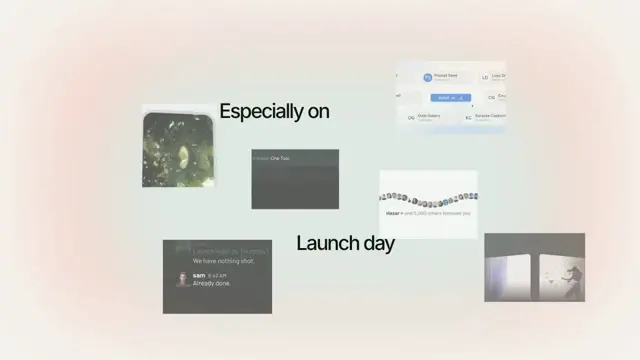
The lead word floats toward you and hangs there while the sentence assembles around it, letters bouncing up off the baseline — then the whole line falls back
- Type
- Animation
- Duration
- 3.7s
- Category
- Text & Titles
- Source
- snapcn
Install
A title reveal built around one idea: the lead word is pushed aside by the words that follow it.
- The lead word rises from below and settles, centred, at its natural size.
- The line floats forward — toward the viewer. The lead word is still alone, so it stays dead centre as it grows.
- The second word cuts in from the right, its letters bouncing up off the baseline one after another, and shoves the lead word left to make room. Later words follow, pushing in without a bounce, each shoving the lead word further left.
- Once everything has landed, the whole line falls back to its final size and settles into the sentence.
The shove
The shove is the whole point, so it is not on a clock of its own — that would just be a word arriving and a line sliding at the same time, and it would read as two things happening rather than one thing causing another.
Instead, each trailing word owns a share of the leftward travel — its share of the width it adds to the line — and spends that share over exactly the frames it spends pushing into its slot. The lead word therefore cannot move until a word arrives to move it, and once every word has landed it sits exactly where the finished sentence needs it. Nothing is scheduled twice, so nothing can drift out of sync.
The bounce
bounceWords controls how many trailing words bounce their letters in. The
default is 1: only the second word bounces, and every word after it simply
pushes in. The lead word never bounces.
Each letter swells up off its baseline — not its centre — so the word grows
upward and stays planted on the line. Both halves of the pulse use a curve that
starts and ends at a standstill, so a letter never jerks off the baseline and the
top of the bounce rounds over instead of cornering. letterStagger is the wave's
speed; letterHold adds a flat top (leave it at 0 for a clean quick pop).
Installation
$ pnpm dlx shadcn@latest add @snapcn/text-swellNeeds an existing Remotion project and a components.json. Two-minute setup if this is your first snapcn component.
Component code
The exact file shadcn add copies into your project.
Usage
// src/Root.tsx
import { Composition } from "remotion";
import { TextSwell } from "@/components/snap-cn/text-swell";

const TitleScene = () => <TextSwell text="No extra charge" />;

export const RemotionRoot = () => (
  <Composition
    id="TextSwell"
    component={TitleScene}
    durationInFrames={110}
    fps={30}
    width={1280}
    height={720}
  />
);
Why scaled text looks "stuck", and what actually fixes it
If you have ever animated scale on a heading and watched the letters judder and
stick instead of gliding, this is why — and it is worth knowing, because the
obvious fixes are mostly wrong.
The cause is the type, not the animation. Browsers do not scale text the way they scale an image. They re-shape and re-rasterise the glyphs at every new size, and the rasteriser snaps each glyph's origin to the pixel grid — in Skia, horizontal positions quantise to ¼px and vertical positions have no sub-pixel precision at all, they round to a whole pixel. So under a perfectly smooth scale ramp the letters sit on one pixel row for a few frames, snap to the next, and sit again. Measured on a linear 1.6× → 1× ramp, the line's vertical centroid reversed direction 29 times in 40 frames while its true motion was a straight line.
The fix is to lay the line out at the biggest size it will ever be shown at, and
only ever scale it down (fontSize: fontSize * raster, scale: scale / raster),
with will-change: transform so the line is composited. Compositing hands the
scale to the GPU, which resamples a texture instead of re-shaping type — the
snapping cannot happen. Laying out big is what makes that safe: the transform
never asks for more detail than the texture already holds, so the browser
rasterises once and never revisits it. Same measurement after the change:
0.03px of quantisation instead of 0.30px, and no loss of sharpness, because
the texture was rasterised at the largest size in the first place.
will-change: transform on its own is not the fix — scaling up past the
texture's resolution forces the browser to re-rasterise mid-animation, which
trades the jitter for blur and pops. The two halves only work together.
Not fixes, despite being widely repeated: translateZ(0), backface-visibility: hidden, perspective(1px). They are all layer-promotion hacks with the same
blur side effect. And -webkit-font-smoothing: antialiased does not affect glyph
positioning at all.
One more, unrelated to rasterisation: no asymptotic easing on a frame clock. Aggressive decelerating curves — quint-out, expo-out — cover 99% of their travel in the first third and then crawl. Over a 50px rise at 30fps that leaves five frames moving less than half a pixel each, which rasterise to identical frames: the word visibly stops dead partway and waits. Every curve here still arrives at a standstill, but none of them spend more than a frame or so on travel you cannot see. A settle worth one frame is a settle; a settle worth five frames is a freeze.
frontScale is a ceiling, not a promise
Floating forward blows the line up about its left edge, and until the last word
has finished shoving, that edge still sits right of where it will rest. A word
arriving into that gap is the widest the line ever gets — so frontScale is
capped at whatever keeps even that moment inside the frame.
That means a long sentence floats less far forward than you asked for. It is not a bug you can tune around; it is the only way to have every word on screen at once while the line is forward. If you want the full, dramatic push, use fewer or shorter words — the cap lifts as the line gets narrower.
Props
| Prop | Type | Default | Description |
|---|---|---|---|
text | string | "No extra charge" | The sentence to assemble. Its first word leads, and everything else pushes it left |
fontSize | number | 72 | Final font size in px — the size the line settles at |
color | string | theme.foreground | Text color (any valid CSS color) |
fontWeight | number | string | 600 | CSS font-weight |
riseDistance | number | 0.7 | How far below its resting line the lead word starts, in em |
riseDuration | number | 10 | Frames the lead word takes to rise into place |
introDuration | number | 8 | Frames the lead word fades in over |
startScale | number | 1 | Size the lead word rises in at, relative to its final size |
frontScale | number | 2.1 | How far forward the line floats. Capped so the line never leaves the frame — long text floats less far |
approachDelay | number | 14 | Frames after the start before the line begins floating forward |
approachDuration | number | 20 | Frames the line takes to float forward |
wordDelay | number | 27 | Frames before the second word arrives. The lead word is alone until then, so this is the beat between it landing and the sentence starting to build |
wordStagger | number | 14 | Frames between each trailing word arriving |
wordPush | number | 0.15 | How far right of its slot a trailing word starts, in em |
wordPushDuration | number | 12 | Frames a trailing word takes to push into its slot — and to shove the lead word left. The push and the shove are one motion |
bounceWords | number | 1 | How many trailing words bounce their letters in. 1 bounces only the second word; the rest just push in. The lead word never bounces |
letterSwell | number | 0.23 | How far each letter swells at the peak of its bounce (0.23 = 23% bigger) |
letterStagger | number | 2 | The wave's speed — frames between one letter starting its bounce and the next |
letterRise | number | 3 | Frames a letter takes to swell up |
letterHold | number | 0 | Frames a letter stays swollen at the top. 0 gives a clean quick pop; raise it for a slow rolling bulge |
letterFall | number | 6 | Frames a letter takes to settle back to its natural size |
holdDuration | number | 6 | Frames the line stays forward once everything has landed |
recedeDuration | number | 18 | Frames the whole line takes to fall back to its final size |
letterSpacing | string | "-0.03em" | Resting letter-spacing (CSS value, em recommended) |
speed | number | 1 | Playback speed multiplier |
className | string | — | Optional className passed to the line element |
theme | Partial<SnapCnTheme> | — | Design-system token overrides. Anything you leave out falls back to the shadcn defaults |
mode | "light" | "dark" | — | Which end of the design system to resolve tokens against |
Frequently asked questions
How do I add Text Swell to a Remotion project?
Run npx shadcn@latest add @snapcn/text-swell. The source is copied into components/snap-cn/ (or wherever your components.json points) with anything it depends on, and you own the code from then on — there is no runtime package to keep installed.
What is Text Swell?
Text Swell is a Remotion floating word title animation for React. The lead word floats toward you and hangs there while the sentence assembles around it, letters bouncing up off the baseline — then the whole line falls back.
What do I need before using Text Swell?
An existing Remotion project (npx create-video@latest) with a components.json. shadcn init does not recognise Remotion, so the installation guide has you write that file by hand — it takes two minutes. The component is MIT licensed and free.