


































































































Scenes
Wordmark Cut
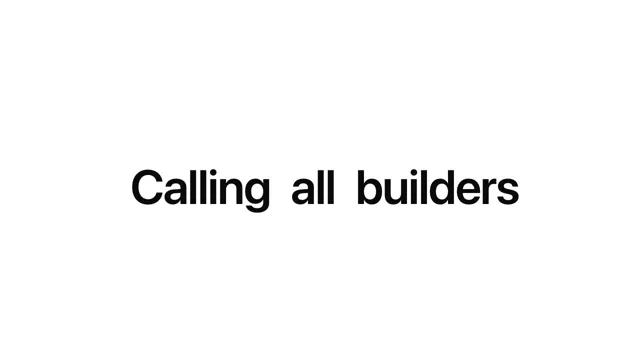
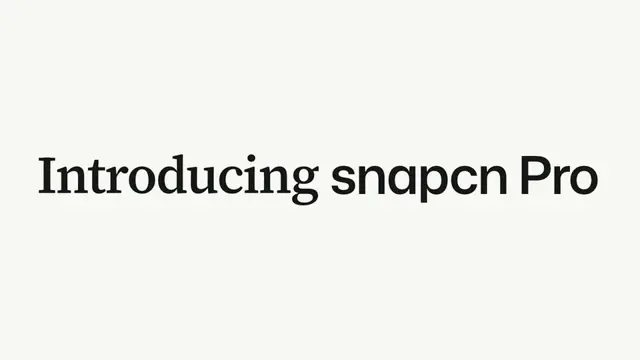
A wordmark twice the width of the frame, cooling from a lit gradient to ink as it settles, then a hard cut onto its last letters and the dot — nearer, shallower, and pushing in
- Type
- Animation
- Duration
- 2.2s
- Category
- Scenes
- Source
- snapcn
Install
Two shots and a hard cut between them. The wide one holds the front of the word, rides an exponential settle up into place while the light on the type cools out, and then starts drifting left — accelerating, so the cut lands on a frame that is already moving. The close one is 1.71× nearer, holds the end of the word, springs in, waits, and pushes.
The dot never cools. It is the one thing in the piece that keeps the gradient at full strength, and the close shot is framed on it.
Installation
$ pnpm dlx shadcn@latest add @snapcn/wordmark-cutNeeds an existing Remotion project and a components.json. Two-minute setup if this is your first snapcn component.
Component code
The exact file shadcn add copies into your project.
Usage
// src/Root.tsx
import { Composition } from "remotion";
import { WordmarkCut } from "@/components/snap-cn/wordmark-cut";

const Open = () => <WordmarkCut word="snapcn." />;

export const RemotionRoot = () => (
  <Composition
    id="WordmarkCut"
    component={Open}
    durationInFrames={66}
    fps={30}
    width={1280}
    height={720}
    defaultProps={{}}
  />
);
Props
| prop | type | default | what it does |
|---|---|---|---|
word | string | "snapcn." | The wordmark. A trailing . is dropped — the dot is drawn, not typed. |
dotFrom / dotTo | string | #3072db / #4fd8f5 | One ramp, painted at full strength on the dot and at warm on the type. Defaults to the design system's primary lifted to a cyan; the reference's own is #ff6100 → #fff100. |
warm | number | 1 | How much light the type carries at its hottest. 0 starts it at ink. |
theme / mode | Partial<SnapCnTheme> / "light" | "dark" | design system | Token overrides — the page and the ink. |
fontFamily | string | Inter | A face from the registry's font list, or one you have loaded. |
speed | number | 1 | 1 is the measured speed. |
Framing
The two shots are anchored on different things, and neither has a fixed baseline:
- The wide shot is framed on the top of the ink. A word with ascenders and a word without do not sit in the same place at the same point size — one of them floats 50px lower — so the ink's top edge is what stays put and the baseline follows.
- The close shot is framed on the dot, because that is what it is a shot of. The baseline is then wherever the dot's own radius puts it.
Set word="Product." and both come out at the reference's own numbers.
Timing
Every number is read off the reference at 30fps.
| beat | seconds | what moves |
|---|---|---|
| settle | 0 – 0.8 | the word rises 50px, exponentially |
| cool | 0.36 – 1.03 | the light on the type goes to ink, linearly |
| drift | 0.66 – 1.20 | the word slides 21px left, accelerating |
| cut | 1.20 | 245px type → 419px type, front of the word → end of it |
| spring | 1.20 – 1.45 | the close shot lands, overshooting 5px |
| hold | 1.45 – 1.63 | nothing moves |
| push | 1.63 – 2.20 | 1 → 1.30, still accelerating at the last frame |
The wide shot is accelerating left when it ends and the close shot is decelerating when it begins. They are not one continuous move with a jump in it — they are the same camera on the same word, twice, and the cut is what makes the second one read as closer rather than as bigger.
Frequently asked questions
How do I add Wordmark Cut to a Remotion project?
Run npx shadcn@latest add @snapcn/wordmark-cut. The source is copied into components/snap-cn/ (or wherever your components.json points) with anything it depends on, and you own the code from then on — there is no runtime package to keep installed.
What is Wordmark Cut?
Wordmark Cut is a Remotion wordmark end card for React. A wordmark twice the width of the frame, cooling from a lit gradient to ink as it settles, then a hard cut onto its last letters and the dot — nearer, shallower, and pushing in.
What do I need before using Wordmark Cut?
An existing Remotion project (npx create-video@latest) with a components.json. shadcn init does not recognise Remotion, so the installation guide has you write that file by hand — it takes two minutes. The component is MIT licensed and free.