






































































































Screens & Devices
Gallery Push
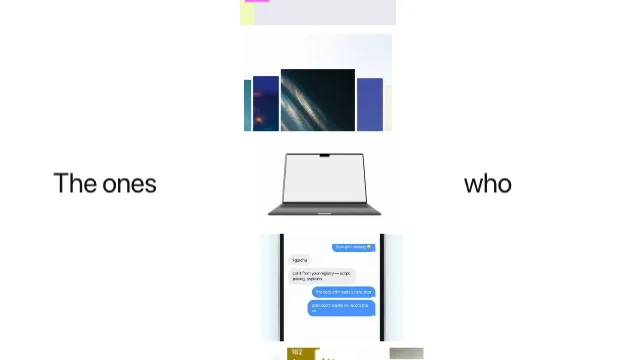
A wall of screenshots that opens one column at a time. The columns rise into place from below, the one you are being shown first and the wall building outward from it, on a white page washed with the accent in two corners. Then the focus walks: the open column hands its width to its neighbour, the strip slides to keep whichever is open in the middle, and the whole wall creeps forward. Width is the whole trick — each column is a fixed-height box with the screenshot cropped to fill it, so narrowing a column does not shrink the picture, it crops it, and a site at rest reads as a tall slice of itself while the open one reads as a page.
- Type
- Animation
- Category
- Screens & Devices
- Source
- snapcn
Price
$179 a year · $279 outright
Frequently asked questions
How do I add Gallery Push to a Remotion project?
Gallery Push is part of snapcn Pro, and installs with the same shadcn CLI as every free component: npx shadcn@latest add @snapcn/gallery-push. The source is copied into your project and is yours to edit — there is no runtime package to keep installed.
What is Gallery Push?
Gallery Push is a Remotion screenshot wall animation for React. A wall of screenshots that opens one column at a time.
Is Gallery Push free?
No. It is one of 68 Pro components, sold together: $179 a year for the whole catalogue and everything that ships while your year runs, or $279 once to own it outright. The other 52 snapcn components are free and MIT.