


























































































Logos
Logo Drift
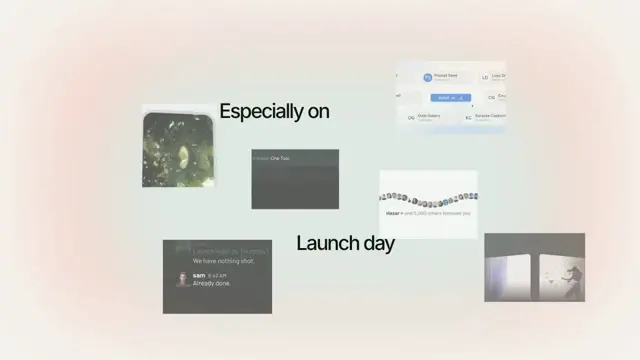
A field of stack tiles drifting past a headline while the camera pulls steadily back, so the wall of things-it-works-with keeps arriving from every edge
- Type
- Animation
- Duration
- 3.6s
- Category
- Logos
- Source
- snapcn
Install
Installation
$ pnpm dlx shadcn@latest add @snapcn/logo-driftNeeds an existing Remotion project and a components.json. Two-minute setup if this is your first snapcn component.
Component code
The exact file shadcn add copies into your project.
Usage
// src/Root.tsx
import { Composition } from "remotion";
import { LogoDrift, SNAPCN_STACK } from "@/components/snap-cn/logo-drift";

const IntegrationsScene = () => (
  <LogoDrift
    headline="Built for the stack you already use."
    tiles={SNAPCN_STACK}
  />
);

export const RemotionRoot = () => (
  <Composition
    id="LogoDrift"
    component={IntegrationsScene}
    durationInFrames={108}
    fps={30}
    width={1280}
    height={720}
  />
);
A tile is a glyph, a colour and a world-line. Give it your own:
<LogoDrift
  headline="Every tool you already pay for."
  tiles={[
    { glyph: "S", label: "Stripe", background: "#635bff", color: "#fff",
      x: -680, y: 210, vx: 20, vy: -84, size: 210, at: 0.4 },
    { glyph: "Li", label: "Linear", background: "#14161c", color: "#fff",
      x: 640, y: -260, vx: -8, vy: 80, size: 240, at: 1.1 },
  ]}
/>
The pull-back is one linear scale
This is the measurement the whole component hangs off. Every tile in the reference shrinks at the same relative rate: fit its on-screen size against time and you get a straight line, and dividing that slope by the tile's own size gives 0.176 per second for every tile on screen long enough to fit — seven of them, spread ±0.0016.
It is not a perspective dolly. Under perspective it is 1/size that runs straight, and it plainly does not: the size itself is the line. So the whole field lives on one scale(1 − rate·t) about the frame centre, which is why tiles keep arriving from every edge — the frame is not moving, it is covering more field.
The field drifts under it
Take the scale back out and each tile's path becomes a straight world-line to within a pixel: a constant velocity, around 80 stage px a second, in its own direction. That is the second half of the model and it is not optional — hold the field still and you are 32px out; let it drift and six of the seven fitted tiles land within 0.3–1.0px per frame across their whole path.
| measured | |
|---|---|
| pull-back | 0.176 of scale per second, linear |
| tile drift | constant velocity, ~80 stage px/sec, per tile |
| tile fade | 1 − e^(−age/0.4s) — 63% up in 400ms, still creeping at 1.2s |
| word stagger | 150ms |
| word entrance | 1.216× and 4.3px of blur, resolved in 140ms |
| exit | from 3.13s, to 0.80× and 6.5px, over 340ms |
| headline | 20px, centre-set, the line re-centres as words land |
Every one of those is a prop.
The words do not fade in
Measure the ink and it is conserved from the first frame a word exists. What resolves is 1.216× of scale and 4.3px of blur, in 140ms — a word arrives close and soft and settles, it does not appear out of nothing. Words land every 150ms, so each one finishes exactly as the next begins, and because the line is centre-set the words already placed slide left to make room.
The exit is the same move run backwards on the whole line at once: it recedes to 0.80×, blurs to 6.5px and goes.
Everything is a prop, and it fits any field
tilesis the whole field: glyph, label, colour, world position, drift, size and entry time per tile.SNAPCN_STACKis the default and is exported, so you can spread it and change two entries.pullbackis the camera. Zero holds the field still; raise it and the wall recedes faster.tileSpeedandtileScalemultiply every tile's drift and size at once, so you can re-time a field you like the shape of without touching ten objects.tileFadeis the time constant of a tile's fade-up. It exists because not every tile can arrive from off-stage — the reference fades one up five pixels inside the right edge, and without the fade that reads as a pop.glow,glowOpacityandaccentColorpaint the wash. It is static on the reference and static here: a glow that breathes under a headline reads as a mistake rather than as light.
Colour and wording
The proportions and the timing are measured. The labels and the paint are not — the reference is a specific product showing off a specific set of other people's logos, and none of that belongs in a component that ships to strangers. The default field is the stack a snapcn component actually drops into, drawn as wordmark tiles rather than borrowed marks, and the paint is ours.
Props
| Prop | Type | Default | Description |
|---|---|---|---|
headline | string | "Built for the stack you already use." | The line that writes itself. Split on whitespace; each word lands on its own beat and the line re-centres as it grows |
tiles | DriftTile[] | SNAPCN_STACK | The field. Each tile carries glyph, label, colours, world position, drift, size and entry time |
pullback | number | 0.1762 | How fast the camera pulls back, as a fraction of scale per second. The rate measured on every tile in the reference |
tileSpeed | number | 1 | Multiplies every tile's drift at once |
tileScale | number | 1 | Multiplies every tile's size at once |
tileFade | number | 0.4 | Time constant of a tile's fade-up, in seconds. It is an exponential approach, not a ramp |
tileRadius | number | 0.02 | Corner radius as a fraction of a tile's edge. The reference's are all but square |
glyphScale | number | 0.34 | Glyph size inside a tile, as a fraction of its edge |
wordAt | number | 0.017 | Seconds at which the first word lands |
wordStagger | number | 0.15 | Seconds between words, which is also exactly how long one takes to land plus a frame |
wordDuration | number | 0.14 | How long a word takes to resolve its scale and blur |
wordScale | number | 1.216 | How large a word arrives before it settles to 1 |
wordBlur | number | 4.3 | How soft a word arrives, in px, before it settles to 0 |
exitAt | number | 3.13 | Seconds at which the whole line starts to leave |
exitDuration | number | 0.34 | How long the exit takes |
exitScale | number | 0.8 | What the line recedes to on the way out |
exitBlur | number | 6.5 | How soft the line goes on the way out, in px |
fontSize | number | 20 | Headline type size in stage px. The stage is 810×458 and is scaled to fill the composition |
fontWeight | number | 500 | Headline weight. Inter ships 400/500/600 here |
glow | boolean | true | The soft wash behind the headline. Static, as the reference's is |
glowColor | string | accentColor | Colour of the wash, if it should differ from the accent |
glowOpacity | number | 0.07 | Strength of the wash. On the reference its peak is seven luminance levels off the page — a tint, not a shape |
accentColor | string | theme.primary | Accent the wash is painted from |
theme | Partial<SnapCnTheme> | — | Token overrides — the page colour and the headline's ink come from here |
mode | "light" | "dark" | "light" | Which token set to resolve against |
speed | number | 1 | Multiplies the frame clock. Every beat above scales with it |
The recording is 3.37s and cuts while the headline is still blurring out. 108 frames is that clip plus a quarter of a second, so the exit lands instead of being clipped mid-blur.
Frequently asked questions
How do I add Logo Drift to a Remotion project?
Run npx shadcn@latest add @snapcn/logo-drift. The source is copied into components/snap-cn/ (or wherever your components.json points) with anything it depends on, and you own the code from then on — there is no runtime package to keep installed.
What is Logo Drift?
Logo Drift is a Remotion logo cloud animation for React. A field of stack tiles drifting past a headline while the camera pulls steadily back, so the wall of things-it-works-with keeps arriving from every edge.
What do I need before using Logo Drift?
An existing Remotion project (npx create-video@latest) with a components.json. shadcn init does not recognise Remotion, so the installation guide has you write that file by hand — it takes two minutes. The component is MIT licensed and free.