


























































































Screens & Devices
Cursor Track
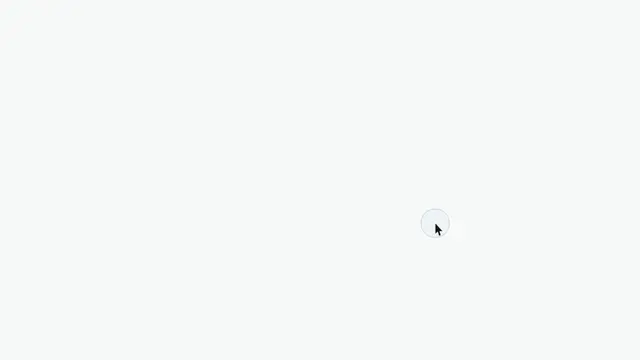
A synthetic cursor that walks a path of waypoints over any children and pulses a click ring on arrival — for sims, and for recordings whose cursor never made the file
- Type
- Animation
- Duration
- 4.4s
- Category
- Screens & Devices
- Source
- snapcn
Install
Installation
$ pnpm dlx shadcn@latest add @snapcn/cursor-trackNeeds an existing Remotion project and a components.json. Two-minute setup if this is your first snapcn component.
Component code
The exact file shadcn add copies into your project.
Usage
A wrapper. It renders children full-bleed and walks a cursor over them along a path of
waypoints, pulsing a ring wherever you say there was a click. For UI sims, and for
recordings whose real cursor never made it into the file — most capture tools drop it.
import { CursorTrack } from "@/components/snap-cn/cursor-track";
import { ScreenRecording } from "@/components/snap-cn/screen-recording";

<CursorTrack
  path={[
    { at: 0, x: -0.06, y: 0.86, duration: 6 },
    { at: 8, x: 0.34, y: 0.44, duration: 22, click: true },
    { at: 52, x: 0.68, y: 0.62, duration: 20, click: true },
    { at: 96, x: 0.82, y: 0.28, duration: 18 },
  ]}
>
  <ScreenRecording src="/recordings/checkout.mp4" camera={[]} />
</CursorTrack>;
at is the frame the cursor starts travelling towards the point, absolute rather than
relative to the previous waypoint. It then rests there until the next waypoint's at —
there is no hold field, the hold is the gap. The first waypoint has nothing to travel from,
so it places the cursor and its duration is the fade-up window instead; give it an
off-frame x (values outside 0–1 are legal) to have the cursor walk in.
click: true pulses the ring on arrival, at at + duration. To click twice without
moving, add a second waypoint at the same point.
path defaults to the demo track so the component is worth looking at with nothing passed;
path={[]} renders no cursor at all, i.e. a no-op wrapper.
Composing
Put the recording inside this, not this inside the recording — the cursor has to be the top layer to read as a cursor:
<CursorTrack path={path}>
  <ScreenRecording src="/recordings/checkout.mp4" camera={[]} />
</CursorTrack>
Waypoints are frame coordinates and do not ride an inner <ScreenRecording> camera —
a push-in moves the UI under the cursor but not the cursor. Keyframe both, or push in on a
shot the cursor is already resting in. speed does not propagate either; pass the same
value to every layer.
The cursor itself
arrow is a hand-drawn macOS-style pointer with its hotspot at the tip — an SVG, not an
emoji and not a font glyph, because a glyph is whatever face the renderer happens to
resolve. It stays readable over arbitrary footage through an outline stroked outside the
ink rather than a drop shadow. dot is a touch/tap puck for mobile sims.
color defaults to theme.foreground and outlineColor to theme.background, so passing
mode="dark" over dark footage swaps both together. Omit size and the cursor is 3.9% of
the frame height, which is what a real one looks like at any crop.
When not to use this
When the recording already has a cursor in it. Two pointers on screen is worse than none, and this component cannot remove the one in your file. Also skip it for anything that is not a click path — travel between waypoints is a straight line on an ease-in-out, which reads as deliberate for a demo and robotic for anything meant to look like a human wandering.
Props
| Prop | Type | Default | Description |
|---|---|---|---|
children | ReactNode | — | What the cursor moves over. Rendered full-bleed underneath it; the cursor layer is pointerEvents: none, so it never intercepts a click meant for the children |
path | CursorWaypoint[] | DEMO_PATH | The path, in any order — { at, x, y, duration?, click? }. Pass [] and it renders nothing |
variant | "arrow" | "dot" | "arrow" | arrow is a pointer; dot is a touch/tap puck |
size | number | — | Cursor height in px. Omit it and the component computes 3.9% of the composition height |
color | string | theme.foreground | Cursor fill. Pass mode="dark" over dark footage and this and the outline swap together |
outlineColor | string | theme.background | The outline that keeps the cursor readable over arbitrary footage |
ringColor | string | theme.primary | The click ring |
clickFrames | number | 14 | Frames a click ring lives for |
showBefore | boolean | false | Park the cursor at the first waypoint before its at. Off by default, so it fades in as the first move starts |
speed | number | 1 | Time multiplier. Every at is measured against frame × speed; layers do not inherit it |
className | string | — | Optional className passed to the outer wrapper |
theme | Partial<SnapCnTheme> | — | Design-system token overrides. Anything you leave out falls back to the shadcn defaults |
mode | "light" | "dark" | — | Which end of the design system to resolve tokens against |
Frequently asked questions
How do I add Cursor Track to a Remotion project?
Run npx shadcn@latest add @snapcn/cursor-track. The source is copied into components/snap-cn/ (or wherever your components.json points) with anything it depends on, and you own the code from then on — there is no runtime package to keep installed.
What is Cursor Track?
Cursor Track is a Remotion cursor click animation for React. A synthetic cursor that walks a path of waypoints over any children and pulses a click ring on arrival — for sims, and for recordings whose cursor never made the file.
What do I need before using Cursor Track?
An existing Remotion project (npx create-video@latest) with a components.json. shadcn init does not recognise Remotion, so the installation guide has you write that file by hand — it takes two minutes. The component is MIT licensed and free.