





































































































Social Proof
Channel Thread
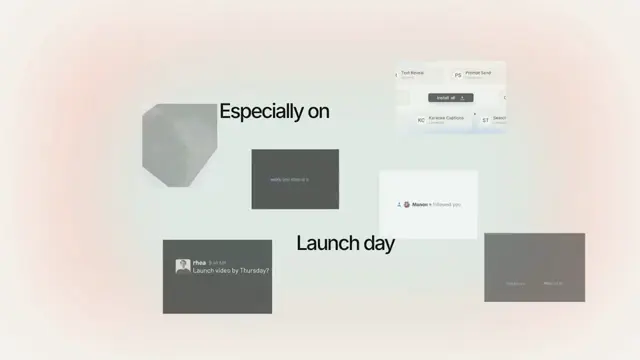
A work chat filling itself in — faces, a name in bold, a quiet timestamp and messages as plain lines on a dark stage; three dots hold a line until the words arrive, and the transcript scrolls once per arrival and is perfectly still in between
- Type
- Animation
- Duration
- 3.7s
- Category
- Social Proof
- Source
- snapcn
Install
Not bubbles: a transcript. An avatar, a name in bold, a quiet timestamp, and the messages under them as plain lines — the shape every team tool has settled on.
Messages land one at a time. A second message from the same person joins the group without repeating the name. When somebody new starts typing, three dots hold their line until the words arrive.
How it moves
The transcript never creeps. Between arrivals it is byte-identical frame to frame — measured at 0.00px for twenty-nine frames at the head of the reference and another eight in the middle. Everything that looks like life comes from the arrivals themselves.
It scrolls only when it has to. A line moves the transcript by however far it falls past the anchor, which is zero until the thread is tall enough to reach it. That is one constant instead of a per-message "does this one scroll" flag, and it is what reproduces the reference's second message landing with the stack measurably motionless.
A longer move takes less time. Measured twice: the two-row scroll runs 1.60× faster in normalised time than the one-row scroll. That is a browser's native smooth-scroll heuristic, and the component reads one curve faster the further it has to go rather than pretending both moves are the same speed.
The room is made before the person arrives. The scroll starts three frames before the avatar, the name and the first dot are painted. Three frames is nothing to watch and everything to match — and the ellipsis is timed from that moment, not from the scroll, or it sits a step out of phase for its whole life.
The two clocks
A message's at is the frame its words land on. Its opens is the frame its row
appears. Splitting them is what lets a pause be a pause: a group's row shows
typing dots until its words arrive, and a later message's row simply waits.
Notes
Messages are single lines — they do not wrap, because wrapping would break the measured baseline grid the whole scene is laid out on. Keep a line to about thirty characters at 16:9 and it will not reach the frame edge.
The scene ships dark, alone in the registry. A transcript is read against the
room it is in, and on the warm off-white page the scroll fade — which is the whole
depth of the scene — turns the oldest line into a pale smudge that reads as a
rendering fault rather than as distance. mode="light" is one prop away and still
resolves from your tokens.
Avatars default to two of the twenty-four photos the registry already ships in
public/avatars. Faces are the difference between a chat that reads as a chat and
one that reads as a wireframe.
Each message carries its own author, time and avatar, and consecutive messages
that share all three are one group under one name. Leave avatar out and that
person gets their initial on a tile tinted with your accent.
The avatar holds the render until the picture has actually loaded. Without that a frame can be captured before it arrives and the square comes out empty — invisible in the Player, where an image simply appears, and silent in an mp4 until somebody watches it.
Installation
$ pnpm dlx shadcn@latest add @snapcn/channel-threadNeeds an existing Remotion project and a components.json. Two-minute setup if this is your first snapcn component.
Component code
The exact file shadcn add copies into your project.
Usage
// src/Root.tsx
import { Composition } from "remotion";
import { ChannelThread } from "@/components/snap-cn/channel-thread";

const rhea = { author: "rhea", time: "9:41 AM", avatar: "/avatars/07.jpg" };
const sam = { author: "sam", time: "9:42 AM", avatar: "/avatars/13.jpg" };

const Chat = () => (
  <ChannelThread
    messages={[
      { ...rhea, text: "Launch video by Thursday?" },
      { ...rhea, text: "We have nothing shot." },
      { ...sam, text: "Already done." },
      { ...sam, text: "Built it out of snapcn." },
    ]}
  />
);

export const RemotionRoot = () => (
  <Composition
    id="ChannelThread"
    component={Chat}
    durationInFrames={110}
    fps={30}
    width={1280}
    height={720}
  />
);
Props
| Prop | Type | Default | Description |
|---|---|---|---|
messages | ThreadMessage[] | string | — | The conversation, one `{ text, author?, time?, avatar?, at?, opens? }` per message. `at` is the frame its words land on, `opens` the frame its row appears (dots first, if it heads a group); both default to the measured 0, 12, 60, 84 and 0, 12, 37, 72, then every 24 frames. Also takes one string: `avatar > name time > text`, `|` between messages, a bare text continuing the speaker above |
fontFamily | string | "Default" | Barlow unless you name one of the loaded faces |
theme | Partial<SnapCnTheme> | — | Design-system token overrides. Anything you leave out falls back to the shadcn defaults |
mode | "light" | "dark" | "dark" | Which end of the design system to resolve tokens against |
Frequently asked questions
How do I add Channel Thread to a Remotion project?
Run npx shadcn@latest add @snapcn/channel-thread. The source is copied into components/snap-cn/ (or wherever your components.json points) with anything it depends on, and you own the code from then on — there is no runtime package to keep installed.
What is Channel Thread?
Channel Thread is a Remotion Slack chat animation for React. A work chat filling itself in — faces, a name in bold, a quiet timestamp and messages as plain lines on a dark stage; three dots hold a line until the words arrive, and the transcript scrolls once per arrival and is perfectly still in between.
What do I need before using Channel Thread?
An existing Remotion project (npx create-video@latest) with a components.json. shadcn init does not recognise Remotion, so the installation guide has you write that file by hand — it takes two minutes. The component is MIT licensed and free.