


























































































AI Chat Input
Answer Highlight
A question, an answer that writes itself a word at a time, then a caret lands mid-sentence and drags a selection across the one statement that matters — and settles onto one word inside it
- Type
- Animation
- Duration
- 6.3s
- Category
- AI Chat Input
- Source
- snapcn
Install
Installation
$ pnpm dlx shadcn@latest add @snapcn/answer-highlightNeeds an existing Remotion project and a components.json. Two-minute setup if this is your first snapcn component.
Component code
The exact file shadcn add copies into your project.
Usage
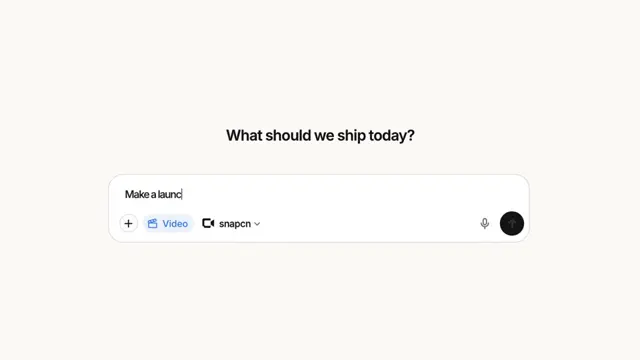
Four beats. The question lands in a pill. The answer writes itself a word at a time. A caret appears mid-sentence and a selection band drags across one statement, wrapping onto the next line the way a real one does. Then the band settles onto one word inside it, and that word takes the accent.
The point of the shot is the third beat. The typing is the setup — it is what makes the highlight land on something the viewer has just read rather than on a paragraph that was always there.
// src/Root.tsx
import { Composition } from "remotion";
import { AnswerHighlight } from "@/components/snap-cn/answer-highlight";

const Ask = () => (
  <AnswerHighlight
    question="How should we structure the demo video?"
    answer="Build one composition per scene and keep the timeline declarative, so the same props always render the same frames."
    statement="keep the timeline declarative"
    word="declarative"
  />
);

export const RemotionRoot = () => (
  <Composition
    id="AnswerHighlight"
    component={Ask}
    durationInFrames={190}
    fps={30}
    width={1280}
    height={720}
  />
);
You name the sentence, not its coordinates
statement and word are strings, matched against the answer — not indices, not offsets, not a markup syntax inside the copy. Edit the answer and the highlight follows it; edit it so far that the sentence is gone and nothing highlights, which is the signal that the two have drifted apart rather than a band drawn over the wrong words.
Punctuation does not have to line up. statement="keep the timeline declarative" finds the answer's declarative, — writing the comma into the prop to make the match land is the kind of thing nobody remembers and everybody debugs twice. word only counts if it falls inside statement; the same word appearing earlier in the answer is not the one you meant.
The band is a background, not a rectangle
Every word of the answer is its own inline span, and the selection is a background on the spans the drag has passed. That is the whole trick, and it is what buys:
- Real wrapping. A selection that runs over a line break breaks square at the line end and picks up at the start of the next one — because the browser is doing the wrapping, not a measured rectangle trying to imitate it.
- No DOM measurement. No refs, no
delayRender, nogetBoundingClientRectthat reports device pixels and has to be divided back out by the current scale. Put any copy you like in it.
The word gap is padding, not margin, so the band is drawn behind the spaces too — otherwise a selection over four words comes out as four chips with holes where the spaces were.
Why the drag has a caret
Because a selection without one is a highlight animating in, and a highlight animating in reads as decoration. The leading edge is drawn as a hard stop inside a gradient, with a sliver of the accent just past it — one background doing the band, its edge, and the caret at once. The stop moves through the word it is crossing rather than jumping over it: at 30fps a per-word step advances three whole words a second and the whole thing turns into four chips appearing in sequence.
dragStep is seconds per word, default 0.11 — four words in a little under half a second, which is what a hand actually does.
The selection is a tint, never the accent
accentColor at 16% over the page for the statement, 30% for the picked word, and the picked word's ink mixed toward the accent. Primary at full strength behind body type puts white-on-blue in the middle of a paragraph and the line stops being readable — which is exactly why a browser's own selection is pale until the window loses focus.
The tint is composited as alpha, not mixOklch. Mixing the warm off-white page toward a blue in oklch takes the short way round the hue wheel and passes through green: the first cut of this scene highlighted the answer in pale mint.
Proportions
The question pill is the one measured object here — its height, radius, padding and entrance are the numbers Agent Steps carries, fitted off the same recording. Everything below it is chosen for this scene, and the constants in the file say what each one is for.
| value | |
|---|---|
| answer type | 0.0385 of frame height |
| answer measure | 0.6 of frame width — three or four lines of a real answer |
| line height | 1.64, looser than a paragraph wants, so the band on one line does not sit against the type on the next |
| band inset | 0.18em above and below the type |
| caret | 0.06em wide |
Props
| Prop | Type | Default | Description |
|---|---|---|---|
question | string | "How should we structure the demo video?" | The prompt, in the pill at the top |
answer | string | — | The answer. It writes itself a word at a time; line breaks are the browser's, so write a paragraph and let the measure set the rag |
statement | string | "keep the timeline declarative" | The run inside answer that gets selected. Matched word for word, ignoring outer punctuation; a run that is not found simply never highlights |
word | string | "declarative" | The one word inside statement that takes the second, stronger band and the accent ink. Ignored if it falls outside the statement |
questionHold | number | 0.6 | Seconds the question holds alone before the answer starts |
wordStep | number | 0.055 | Seconds between two words of the answer arriving. Each word takes 0.22s to land, so four or five are always mid-arrival — which is what stops it looking like a ticker |
beforeDrag | number | 0.45 | Seconds between the answer finishing and the drag starting |
dragStep | number | 0.11 | Seconds the drag spends on each word of the statement. The edge moves through a word, not over it |
beforeWord | number | 0.6 | Seconds the selected statement holds before the word is picked out |
paperColor | string | — | Page behind the scene. Defaults to theme.background |
pillColor | string | — | Question pill fill. Defaults to theme.card |
questionColor | string | — | Question ink. Defaults to theme.mutedForeground |
answerColor | string | — | Answer ink. Defaults to theme.foreground |
accentColor | string | — | The selection, the caret and the picked word. Defaults to theme.primary |
centerY | number | 0.5 | Where the lockup sits, as a fraction of frame height |
fontFamily | string | — | Overrides Inter |
theme | Partial<SnapCnTheme> | — | Design-system token overrides — the same shape every snap-cn-ui component takes |
mode | "light" | "dark" | "light" | Which default token set to resolve against |
speed | number | 1 | Global playback multiplier applied to the whole sequence |
Frequently asked questions
How do I add Answer Highlight to a Remotion project?
Run npx shadcn@latest add @snapcn/answer-highlight. The source is copied into components/snap-cn/ (or wherever your components.json points) with anything it depends on, and you own the code from then on — there is no runtime package to keep installed.
What is Answer Highlight?
Answer Highlight is a Remotion AI answer highlight for React. A question, an answer that writes itself a word at a time, then a caret lands mid-sentence and drags a selection across the one statement that matters — and settles onto one word inside it.
What do I need before using Answer Highlight?
An existing Remotion project (npx create-video@latest) with a components.json. shadcn init does not recognise Remotion, so the installation guide has you write that file by hand — it takes two minutes. The component is MIT licensed and free.