











































































































Scenes
Orbit Flow
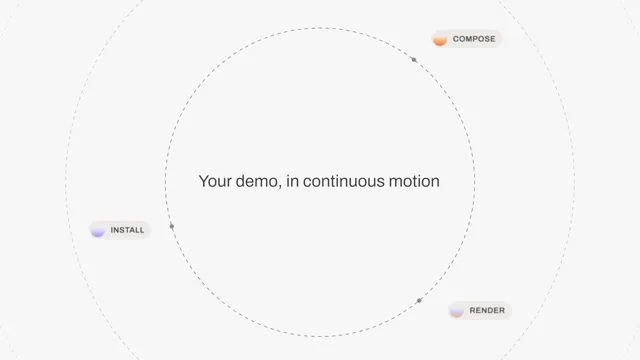
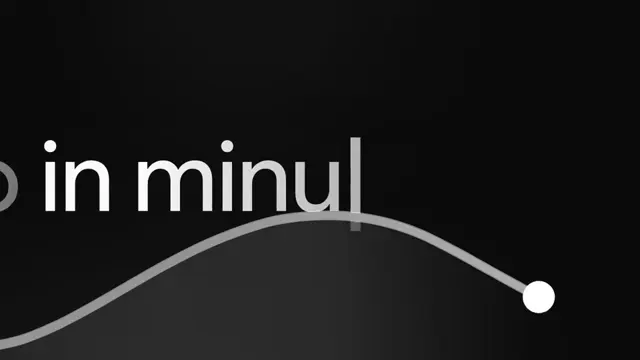
Three dashed orbits round a line of type, with three labelled stops riding the inner one. The scene settles in from 0.86x while the line rises, clears and sharpens a word at a time; the outer orbits drift apart at a constant 0.187 degrees a frame, and the inner one coasts down from its entrance and then winds up until its dashes, markers and labels are a blur. Nothing is left to the browser's rasteriser: the rings are the fitted stroke model evaluated at every pixel on a canvas (a Gaussian across the ring, a square wave along it blurred by the capture and by the shutter), and the labels and line are drawn at 4-8x and averaged down, so every baseline moves by fractions of a pixel. The line is Archivo at weight 350, picked by fitting all 1,804 Google families to the recording. Built frame by frame against a screen recording: 0.37 of 255 mean per pixel over all 77 frames.
- Type
- Animation
- Category
- Scenes
- Source
- snapcn
Price
$179 a year · $279 outright
Frequently asked questions
How do I add Orbit Flow to a Remotion project?
Orbit Flow is part of snapcn Pro, and installs with the same shadcn CLI as every free component: npx shadcn@latest add @snapcn/orbit-flow. The source is copied into your project and is yours to edit — there is no runtime package to keep installed.
What is Orbit Flow?
Orbit Flow is a Remotion orbit diagram animation for React. Three dashed orbits round a line of type, with three labelled stops riding the inner one.
Is Orbit Flow free?
No. It is one of 68 Pro components, sold together: $179 a year for the whole catalogue and everything that ships while your year runs, or $279 once to own it outright. The other 52 snapcn components are free and MIT.