


























































































Screens & Devices
Terminal Simulator
Terminal window with chunked command playback, freeze-frame pauses, step scrolling, and an optional cursor-pinned zoom
- Type
- Animation
- Duration
- 6.7s
- Category
- Screens & Devices
- Source
- snapcn
Install
Installation
$ pnpm dlx shadcn@latest add @snapcn/terminal-simulatorNeeds an existing Remotion project and a components.json. Two-minute setup if this is your first snapcn component.
Component code
The exact file shadcn add copies into your project.
Usage
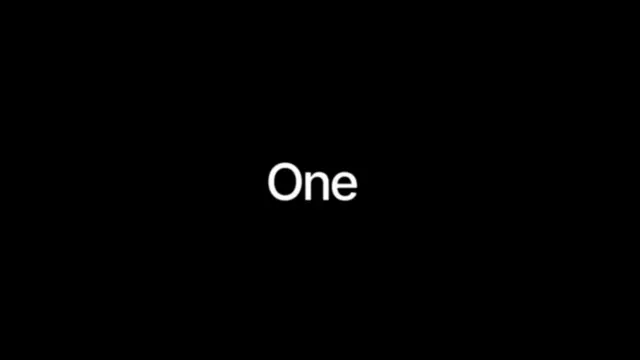
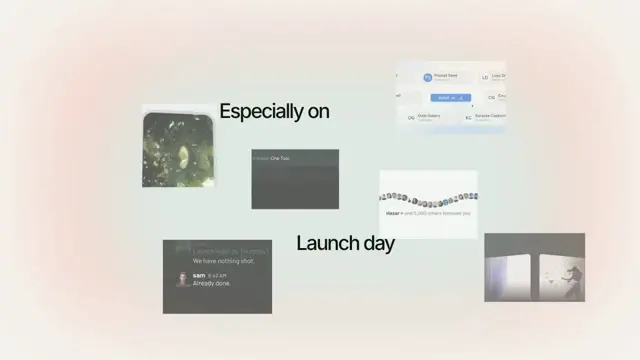
Everything lives on one black canvas and a single camera flies over it —
nothing slides in from a screen edge. The camera holds on the intro headline,
creeps left, then suddenly accelerates across to the command panel
(package-manager tabs + a syntax-coloured install command with the package name
highlighted), pushes in slowly while it types — leaving the trailing motion-blur
copies — then pulls back, descends, and punches in on the green focus
terminal as it types its output. Fast camera moves draw a velocity-driven ghost
trail; holds are dead still. Output reveals in bursts (chunked, not char-by-char),
and any line ending in ... freezes the frame for 18 frames — or set pause
explicitly. Everything is driven by the current frame, so scrubbing and rendering
are fully deterministic.
Pass intro={null} or command={null} to skip a station — the camera path
closes the gap automatically.
// src/Root.tsx
import { Composition } from "remotion";
import { TerminalSimulator } from "@/components/snap-cn/terminal-simulator";

const InstallScene = () => (
  <TerminalSimulator
    intro="*work* one step at a *time.*"
    command={{ managers: ["npm", "pnpm", "yarn", "bun"], text: "npm install One Tool" }}
    lines={[
      { text: "{labels: ['bug']})", type: "log", delay: 0 },
      { text: "→   label added", type: "success", delay: 6 },
      { text: "$", type: "log", delay: 10 },
      { text: "One task", type: "command", delay: 4 },
    ]}
  />
);

export const RemotionRoot = () => (
  <Composition
    id="TerminalSimulator"
    component={InstallScene}
    durationInFrames={200}
    fps={30}
    width={1280}
    height={720}
  />
);
Intro headline
intro is a single line rendered in the sans stack, centered. Wrap words in
*asterisks* to paint them with the accent gradient (blue → violet); everything
else stays white. Set intro={null} to skip straight to the command panel.
Focus terminal lines
The final station renders each line large and zoomed, right of the green accent
bar. command lines are white and carry the blinking accent cursor (the last one
keeps it after it finishes typing); log lines are dim, success lines take the
accent green, error lines red. zoom sets the landing zoom of the final punch
(1.5x by default, 2.4x with zoom on).
Props
| Prop | Type | Default | Description |
|---|---|---|---|
lines | Array<{ text: string; type: 'command' | 'log' | 'success' | 'error'; delay?: number; pause?: number }> | — | The focus-terminal output (final station). `delay` is the frame gap before a line starts typing (default 8). `pause` freezes the frame after the line finishes; lines ending in "..." auto-freeze for 18 frames when `pause` is omitted. |
intro | string | null | "*work* one step at a *time.*" | The first camera station. Wrap words in *asterisks* to tint them with the accent gradient. `null` or "" skips the station. |
command | { managers?: string[]; text: string } | null | { managers: ['npm','pnpm','yarn','bun'], text: 'npm install One Tool' } | The second camera station. `managers` are the tab labels (first is active); `text` is typed into the row — manager and subcommand dim, the package name highlighted. `null` skips the station. |
background | string | theme.card | Command-panel surface color |
borderColor | string | theme.border | Hairline color for the command-panel ring and divider |
fontSize | number | 18 | Base monospace size. The command panel and focus terminal scale up from it |
charsPerFrame | number | 2 | Reveal speed: how often the chunked reveal steps (a step every 1 / charsPerFrame frames) |
chunkSize | number | 3 | Characters revealed per step — larger chunks make output lurch in bursts like real command output |
zoom | boolean | { enabled: boolean; scale?: number; followCursor?: boolean } | false | Landing zoom of the final punch onto the terminal. Off = 1.5x; `true` or `{ scale }` overrides (default 2.4) |
speed | number | 1 | Global playback multiplier applied to the whole session |
className | string | — | Optional className passed to the outer container |
theme | Partial<SnapCnTheme> | — | Design-system token overrides. Anything you leave out falls back to the shadcn defaults |
mode | "light" | "dark" | — | Which end of the design system to resolve tokens against |
Frequently asked questions
How do I add Terminal Simulator to a Remotion project?
Run npx shadcn@latest add @snapcn/terminal-simulator. The source is copied into components/snap-cn/ (or wherever your components.json points) with anything it depends on, and you own the code from then on — there is no runtime package to keep installed.
What is Terminal Simulator?
Terminal Simulator is a Remotion terminal animation for React. Terminal window with chunked command playback, freeze-frame pauses, step scrolling, and an optional cursor-pinned zoom.
What do I need before using Terminal Simulator?
An existing Remotion project (npx create-video@latest) with a components.json. shadcn init does not recognise Remotion, so the installation guide has you write that file by hand — it takes two minutes. The component is MIT licensed and free.