































































































Text & Titles
Punch Lines
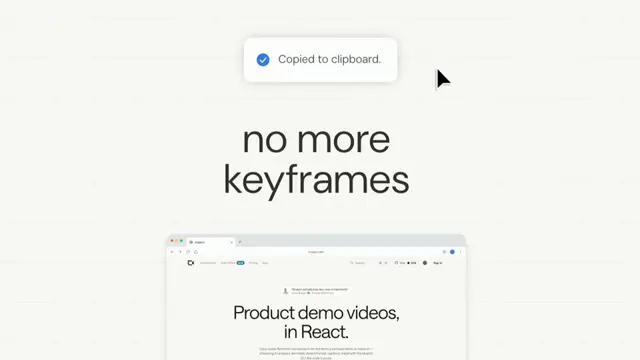
Full-frame title cards that cut hard between beats — a statement flicked in line by line and rushed past the camera, then a hero line whose words punch up from a third of their size
- Type
- Animation
- Duration
- 4.8s
- Category
- Text & Titles
- Source
- snapcn
Install
A whole sequence in one component: you write the script, it cuts itself. Two card looks, and the sequence alternates them.
slide — the statement card. Its lines are already at full size the moment the
card opens, sitting left of centre. Each one is flicked right, sails past its mark
and settles home, one line behind the last. It leaves by rushing past the
camera — a scale about the middle of the frame, so the top line climbs out of
shot while the bottom line dives out of the bottom.
punch — the hero line. Every word starts at a third of its size and swells
into place in a wave, left to right. Once they have all landed the whole line
keeps pushing slowly forward for as long as it is on screen. It leaves on a
hard cut.
<PunchLines
  script="Ready-made scenes / for Remotion. | One command. Own it. | snapcn."
  styles="slide,punch"
  sizes="1,0.945,2.7"
/>
| starts a card, / starts a line inside one. The three lists are parallel —
one entry per card, and the last entry repeats, so "slide,punch" means "the
first card is a statement and everything after it is a hero line".
The cadence, and why a card is already moving when you first see it
holds is time on screen, one entry per card. So holds="48" is three cards
of 48 frames each, back to back, and no card can bleed over the one in front of
it whichever way that one leaves. The whole run is durationInFrames = the sum of
holds, and nothing else.
The one thing that happens off screen is lead: a card's clock starts a few
frames before its cut, so it is caught mid-entrance rather than starting from
nothing. That is the reference's own trick — its third card is already at 87% of
its size on the very first frame you can see it, and there is no trace of it, not
one coloured pixel, on the frame before. It is most of what makes a cut read as
expensive rather than abrupt. Set lead={0} and every entrance plays in full.
The slide is not a spring
It looks like one: the line comes in from the left, sails past the middle and eases back. But a damped sinusoid fits the overshoot and then insists on an undershoot that never happens, and a spring released from rest cannot overshoot 0.71em without starting forty times that far out.
What fits — to 0.42px rms across 37 frames, both lines at once — is a critically damped system given an initial kick:
x(t) = (A + B·t) · e^(−λ·t)slideFrom is A, slideKick is B, slideSettle is λ. The line starts
0.74em left of centre, leaves at speed, reaches 0.71em past centre just under half
a second in, and comes home without ever crossing back. Raise slideSettle and the whole move tightens up;
drop slideKick to nothing and it just eases in from the left.
The smear
A browser animating translate draws every frame perfectly sharp. Film does not,
and neither does anything rendered through a shutter — and the absence of that is
most of what makes a fast move read as computer graphics rather than footage.
So a sliding line is blurred horizontally by the distance it covered in that
frame, and by nothing at all once it has stopped. The number is not a taste
call: a box blur one frame wide has a Gaussian equivalent of width / √12, and
the reference's first frame measures at exactly that. motionBlur is the shutter
angle as a fraction — 1 is fully open, 0 turns it off.
Under a fifth of a pixel the filter is dropped entirely, so a still frame is never paying for a blur it does not need.
Sizing a card
fontSize sets a size = 1 card; sizes scales each card from there. They are
not all the same for a reason — a one-word payoff wants to be three times the
sentence that set it up, and that jump is the beat.
A card is centred on its ink, not on its line boxes: the top of the first line's tallest letter down to the bottom of the last line's lowest one, measured per card from the copy you actually passed. A face's cap height is the wrong number twice over — some faces draw their ascenders taller than their caps, so a line with an ascender in it sits high; and a word with no ascender but a descender, a lowercase wordmark for instance, is not a cap band at all, and centring it as one drops it half a descender low. Both are small, and both are exactly the sort of thing that reads as "not quite right" without ever being nameable.
Long copy is caught by fit: if a card's widest line would cross that fraction of
the frame, the whole card comes down a size together, so the block never
changes shape because one line happened to be the long one. It is fitted against
the widest that card ever gets, not the width it is laid out at — a punch card
keeps growing for its whole life, and a slide card swings most of an em either
side of centre. A fit that ignores both passes on frame one and runs off the stage
later. (The rush is deliberately exempt: leaving the frame is what it is for.)
Colour
A card is a full-bleed page rather than a control sitting on one, so it takes the
design system's two page colours — background and foreground — instead of
inventing a pair. mode="dark" inverts the whole run; ground and ink override
either end.
The accent is the exception. accentColor is a bare prop and deliberately not
theme.primary: an accent that is supposed to shout is the design, not a token,
and a brand palette swapped in underneath it should not be able to turn the payoff
card into the same grey as everything else. accentBeat picks which card gets it,
counting from 1.
Installation
$ pnpm dlx shadcn@latest add @snapcn/punch-linesNeeds an existing Remotion project and a components.json. Two-minute setup if this is your first snapcn component.
Component code
The exact file shadcn add copies into your project.
Usage
// src/Root.tsx
import { Composition } from "remotion";
import { PunchLines } from "@/components/snap-cn/punch-lines";

const Titles = () => (
  <PunchLines script="Ready-made scenes / for Remotion. | One command. Own it. | snapcn." />
);

export const RemotionRoot = () => (
  <Composition
    id="PunchLines"
    component={Titles}
    durationInFrames={144}
    fps={30}
    width={1280}
    height={720}
  />
);
durationInFrames is simply the sum of holds — 48 × 3 here. punchLinesDuration(script, holds)
is exported so a script you change does not leave a composition length behind.
Props
| Prop | Type | Default | Description |
|---|---|---|---|
script | string | "Ready-made scenes / for Remotion. | One command. Own it. | snapcn." | The whole sequence. `|` starts a card, `/` starts a line inside a card |
styles | string | "slide,punch" | Per-card look — `slide` or `punch` — comma separated. The last value repeats |
sizes | string | "1,0.945,2.7" | Per-card type size as a multiple of fontSize, comma separated. The last value repeats |
holds | string | "48" | Per-card time on screen in frames, comma separated. The last value repeats, so one number gives every card the same length |
accentBeat | number | 3 | Which card is painted in accentColor, counting from 1. 0 = none |
lead | number | 4 | Frames of a card's entrance that run before it is cut to, so it arrives already moving. 0 plays every entrance in full |
fontSize | number | 93 | Type size of a size = 1 card, in px |
fontWeight | number | string | 600 | Display weight. Inter is loaded at 400–700 |
lineHeight | number | 0.89 | Baseline-to-baseline distance inside a card, in em |
letterSpacing | string | "-0.022em" | Resting letter-spacing |
wordSpacing | string | "-0.02em" | Resting word-spacing. The reference crushes its words almost together, which is what makes a line read as one block of type |
ground | string | theme.background | The ground the cards are cut on |
ink | string | theme.foreground | The type |
accentColor | string | "#ff1c8e" | The one card that is not the type colour |
slideFrom | number | -0.737 | How far left of centre a slide card's line starts, in em |
slideKick | number | 7.34 | The kick that throws it right, in em per second |
slideSettle | number | 2.846 | How fast the slide settles. Higher is tighter |
lineStagger | number | 3.5 | Frames between one line of a slide card leaving and the next |
slideDrop | number | 0.313 | How far below the optical centre a slide card hangs, in em — the statement sits low so the eye lands on the first line |
motionBlur | number | 1 | Shutter angle for the slide's smear, as a fraction of the frame. 0 turns it off |
punchFrom | number | 0.32 | The size a punch card's word starts at, relative to its final size |
punchFrames | number | 15 | Frames a word takes to swell into place |
wordStagger | number | 2.8 | Frames between one word starting to swell and the next |
pushFrom | number | 0.778 | The size a punch card's line opens at, relative to its final size |
pushRate | number | 0.205 | How fast the line keeps growing while it holds, per second |
rushLead | number | 12.2 | Frames before a rushing card ends that it starts to rush |
rushFrames | number | 18 | Frames the rush would take to run its whole travel |
rushTravel | number | 0.85 | How far the card travels toward the camera, as a fraction of its distance. 0.85 ends at 6.7× |
fit | number | 0.92 | Fraction of the frame width a card may occupy at its widest — including its push and its slide — before the whole card comes down a size |
fontFamily | string | — | A face from the registry’s list ("Geist", "Outfit", "Montserrat") or a CSS family you have loaded yourself. Unset, the cards are set in Inter |
speed | number | 1 | Playback speed multiplier |
className | string | — | Optional className passed to the outer fill |
theme | Partial<SnapCnTheme> | — | Design-system token overrides. Anything you leave out falls back to the shadcn defaults |
mode | "light" | "dark" | — | Which end of the design system to resolve tokens against |
Frequently asked questions
How do I add Punch Lines to a Remotion project?
Run npx shadcn@latest add @snapcn/punch-lines. The source is copied into components/snap-cn/ (or wherever your components.json points) with anything it depends on, and you own the code from then on — there is no runtime package to keep installed.
What is Punch Lines?
Punch Lines is a Remotion full-frame title cards for React. Full-frame title cards that cut hard between beats — a statement flicked in line by line and rushed past the camera, then a hero line whose words punch up from a third of their size.
What do I need before using Punch Lines?
An existing Remotion project (npx create-video@latest) with a components.json. shadcn init does not recognise Remotion, so the installation guide has you write that file by hand — it takes two minutes. The component is MIT licensed and free.