






































































































Text & Titles
Word Gather
A sentence that arrives one word at a time, out of order, and gathers — the first word holds the frame alone, then the rest drop in around it in the accent colour and slide the last of the way home
- Type
- Animation
- Duration
- 1.6s
- Category
- Text & Titles
- Source
- snapcn
Install
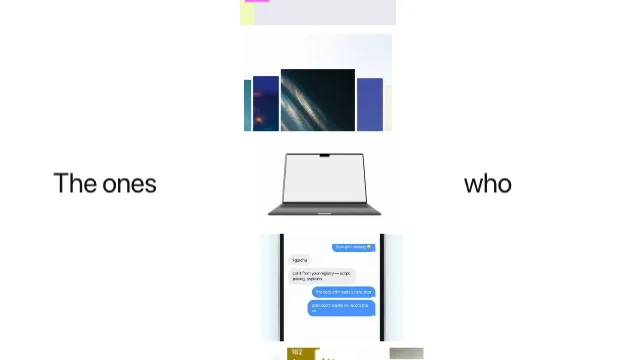
The first word holds the middle of the frame on its own. Then the rest of the sentence drops in around it — not in reading order, and not where it belongs — each word landing somewhere near its slot in the accent colour and sliding the last of the way home, turning to ink as it settles. The line makes room for them as they come, and when the last one is down the whole block eases back to its real size.
How it moves
Two layouts, and one word that moves between them. The scene is only ever in one of two arrangements: the lead word alone, centred on the card, or the whole sentence wrapped and centred. Every other word appears in the second one and never sees the first.
The lead word runs on two clocks. It drops onto its line in seven frames and slides left across the line over twenty-one — because one of those is a line changing and the other is a line reflowing, and they are not the same beat.
The layout is arithmetic, not the browser's. Word advances come from
measureText; the wrap, the centring and every slot are computed here. A word
has to be transformed from somewhere else to its slot, and to know where its slot
is you have to have laid the line out yourself. It also means the line break
cannot move on you frame to frame — the layout is solved once, at scale 1, and
the block's own scale is a transform over the top of it.
Notes
accent is the colour a word wears while it is still travelling; leave it blank
and the theme's accent is used. It is a travelling state, not a highlight — every
word ends in ink.
maxWidth is where the line breaks, in card pixels. Because the layout is solved
once rather than reflowed, changing it moves the break cleanly instead of making
words jump between lines mid-animation.
Installation
$ pnpm dlx shadcn@latest add @snapcn/word-gatherNeeds an existing Remotion project and a components.json. Two-minute setup if this is your first snapcn component.
Component code
The exact file shadcn add copies into your project.
Usage
// src/Root.tsx
import { Composition } from "remotion";
import { WordGather } from "@/components/snap-cn/word-gather";

const Line = () => <WordGather text="Every scene is yours to own." />;

export const RemotionRoot = () => (
  <Composition
    id="WordGather"
    component={Line}
    durationInFrames={49}
    fps={30}
    width={1280}
    height={720}
  />
);
Props
| Prop | Type | Default | Description |
|---|---|---|---|
text | string | "Every scene is yours to own." | The sentence. Its first word is the one that holds the frame alone |
maxWidth | number | 330 | Where the line breaks, in card pixels |
accent | string | — | The colour a word wears while it is still travelling. Blank uses the theme's accent |
fontFamily | string | "Default" | Figtree unless you name one of the loaded faces |
theme | Partial<SnapCnTheme> | — | Design-system token overrides. Anything you leave out falls back to the shadcn defaults |
mode | "light" | "dark" | — | Which end of the design system to resolve tokens against |
Frequently asked questions
How do I add Word Gather to a Remotion project?
Run npx shadcn@latest add @snapcn/word-gather. The source is copied into components/snap-cn/ (or wherever your components.json points) with anything it depends on, and you own the code from then on — there is no runtime package to keep installed.
What is Word Gather?
Word Gather is a Remotion out-of-order word animation for React. A sentence that arrives one word at a time, out of order, and gathers — the first word holds the frame alone, then the rest drop in around it in the accent colour and slide the last of the way home.
What do I need before using Word Gather?
An existing Remotion project (npx create-video@latest) with a components.json. shadcn init does not recognise Remotion, so the installation guide has you write that file by hand — it takes two minutes. The component is MIT licensed and free.